Why doesn't my visual display the title
By default every visualisation in Power BI has a title. However only custom titles (ie titles that someone manually sets for that visual) are saved to the Power BI backend. PowerTester connects to this backend to retrieve the visualisations and their titles.
But in Power BI the visualisation has a title
Power BI will automatically generate a title based on the data for that visual. E.g. in the example below, we have a barchart with ResellerName and sum of SalesAmount. Power BI automatically generates the title "SalesAmount by ResellerName"
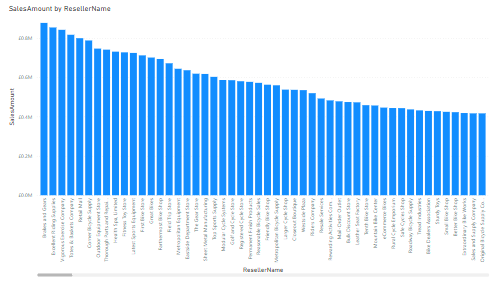
This title is an auto generated title, and is not stored in the Power BI backend.
How to add titles to visuals
In order for titles to appear in PowerTester, you must set a custom title. This is done by selecting the visual, go to the format tab, select the general sub tab, and find the title option.
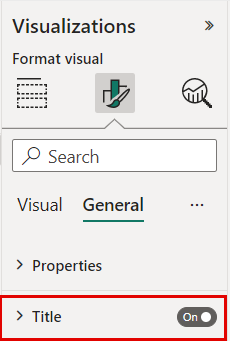
Then give the visual a custom title and save the report.
Note if you do not want this title to display on screen, you can then turn off the title. This will still keep the title but it will not be displayed to the users